專業專欄
軟體開發技術
解決docker desktop資源不足無法開啟的問題
又遇到docker desktop開不起來的問題,結果發現是配置給它的系統資源不足…
最後更新
11 次閱讀

前言
-
又遇到docker desktop開不起來的問題
在windows power shell裡面嘗試了以下指令都沒用
wsl --update
net stop Lxssmanager
net start Lxssmanager
排查原因
先檢查windows的功能,Hyper-v和 windows子系統 Linux版也都有正常開啟
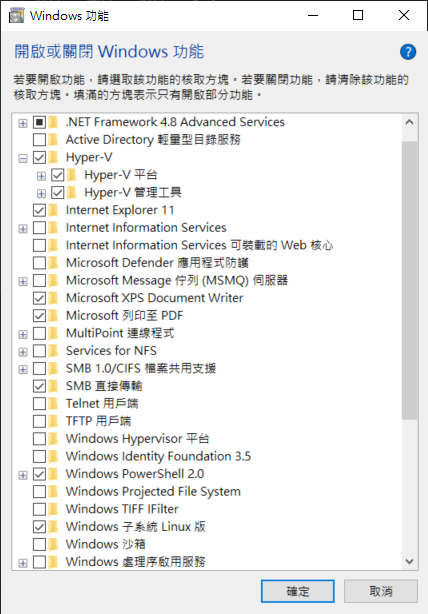
再仔細看了一次錯誤訊息,上網查這個訊息代碼的意義後,發現這個錯誤訊息是顯示資源不足的問題
running wslexec: An error occurred while running the command.
Wsl/Service/RegisterDistro/CreateVm/HCS/0x800705aa:
c:\windows\system32\wsl.exe --import-in-place docker-desktop <home>\appdata\local\docker\wsl\main\ext4.vhdx:
exit status 0xffffffff
(stderr: , wslErrorCode: Wsl/Service/RegisterDistro/CreateVm/HCS/0x800705aa)
不對呀,怎麼上次開得起來,這次重開機後就不行了,於是再翻翻docker介面上有沒有其他資訊,就找到這段關鍵訊息,原來真的是資源不足!
You are using the WSL 2 backend, so resource limits are managed by Windows.
You can configure limits on the memory, CPU, and swap size allocated to WSL 2 in a .wslconfig file.
解決方法如下:
先到以下路徑創建一個 .wslconfig 檔案
C:\Users\<YourUsername>\.wslconfig
查了一下官方的WSL設定檔說明文件:傳送門
然後在設定檔裡面加上讓VM使用超過4G記憶體的設定、使用2個處理器、8GB的Swap
[.wslconfig]
; Limits VM memory to use no more than 4 GB
memory=4GB

; Sets the VM to use two virtual processors
processors=2

; Configures swap file size as needed (e.g., 8GB)
swap=8GB
接著重開Docker Desktop。太棒了,成功把Docker開起來了!